

The best free digital signage software in 2026 is a free-forever plan with clear limits: Visora (1 screen, runs in the TV browser), Yodeck (1 screen), OptiSigns (up to 3 screens), XOGO (1 player) and Fugo (1 watermarked screen). Free works for a pilot. Customer-facing menus usually outgrow it once you need scheduling, more screens or clean branding.
Key takeaways
- Visora (visora.mx): best for restaurants testing one screen on a TV they already own. $0 for 1 screen, 1 ad group and 200 MB, with a Visora watermark and a Visora promo every 10 minutes; paid plans from $29/mo for 2 screens.
- Yodeck: best for a single-screen pilot on a dedicated player. Free for 1 screen; Basic $8 per screen per month billed annually.
- OptiSigns: best for small internal tests across a few screens. Free for up to 3 screens; Standard $10 per screen per month.
- XOGO: best for one simple player with short content. Free for 1 user with limits; Pro $20 per player per month.
- Fugo: best for testing data and dashboard screens. 1 free watermarked screen; Essential listed from $20 per screen per month. Our Fugo alternative comparison shows when it fits a restaurant.
| Product | Best for | Starting price | Hardware needed | Scheduling tier |
|---|---|---|---|---|
| Visora | Restaurant menus and promos on existing TVs | $0 (1 screen); Starter $29/mo for 2 screens | None on a smart TV browser; Fire TV or Windows app optional | Pro ($59/mo) and up |
| Yodeck | Single-screen pilot on a player | Free for 1 screen; $8/screen/mo (annual) | Yodeck Player or supported device; free player only on annual paid plans | Basic scheduling on Basic; advanced on Premium |
| OptiSigns | Small internal tests | Free up to 3 screens; $10/screen/mo | OptiSigns devices, Windows, Linux or Raspberry Pi on the free plan | Standard and up (not on Free) |
| XOGO | One simple player | Free (1 user); $20/player/mo | XOGO app or XOGO Mini Max player ($69.99) | Basic scheduling on Free; advanced on Pro |
| Fugo | Dashboards and data screens | 1 free watermarked screen; from $20/screen/mo | Android, Fire TV, Chromecast, Windows, macOS, Linux and more | All paid plans |

What does "free digital signage software" usually include?
Current vendor pages show why the category is confusing. Grand View Research puts the global digital signage market at $31.09 billion in 2025 and $33.56 billion in 2026, yet the "free" offers inside that growing market range from true freemium tiers to hard-capped starter plans and trial-style entry points.1
Most business owners hear "free digital signage software" and assume one thing: software that lets them put menus, promos or announcements on a screen without paying a monthly fee. In practice, that phrase covers four very different models:
- Free forever with strict limits: You get real long-term use, but only for one screen, a few screens or a trimmed feature set.
- Freemium with branding: The platform works, but your screens show the vendor's logo or watermark.
- Free trial: Full features for 14 to 90 days, then you pay or stop.
- Open-source or self-managed: No software subscription, but you pay in setup time, hosting, maintenance and troubleshooting.
That distinction matters more for restaurants than for many other industries. A back-office status screen can tolerate a rough edge. A customer-facing menu board cannot. If the content looks off-brand, updates slowly or goes dark during lunch rush, "free" stops feeling free.
The cleanest way to evaluate a no-cost plan is to ignore the headline and ask a better question: What exactly is free, and what moves into another column of the budget?
Which free digital signage tools are worth testing in 2026?
The strongest free-forever offers are easy to summarize from live pricing pages: Visora and Yodeck each keep 1 screen free,2 OptiSigns lists a free plan for up to 3 screens with branding and storage caps,3 XOGO offers a $0 single-user account with content limits,4 and Fugo keeps 1 watermarked screen free indefinitely.5
If you want a shortlist instead of a giant software roundup, start here:
| Tool | Free offer | Best fit | Main tradeoff |
|---|---|---|---|
| Visora | 1 screen, 1 ad group, 200 MB, forever | Restaurants testing a menu on a TV they already own | Visora watermark and a Visora promo every 10 minutes; no scheduling until Pro |
| Yodeck | 1 screen, forever | Single-screen pilot or one lobby or menu display | One-screen ceiling; free plan has no included player |
| OptiSigns | Up to 3 screens, forever | Small internal signage tests | OptiSigns branding, 1 GB storage, limited device list, no scheduling |
| XOGO | 1 user, forever | Simple single-screen deployments | 15-item library cap, 60-second videos, HD only |
| Fugo | 1 watermarked screen, forever | Testing dashboards or data feeds | Watermark stays until you pay for the screen |
This is where search results get messy. Many "best free" articles lump together free forever, free trial and open-source tools as if they were interchangeable. They are not. If you are hunting for apps like Yodeck that are free to use, that guide compares the free Yodeck alternatives one by one. If you are an independent restaurant owner, the decision is usually less about exotic integrations and more about three questions:
- Will it run on the screen I already own?
- Can I update food photos and prices quickly?
- Will the screen stay clean and on-brand in front of customers?
If the answer to any of those is "not really," the free tier is a test environment, not a long-term system.
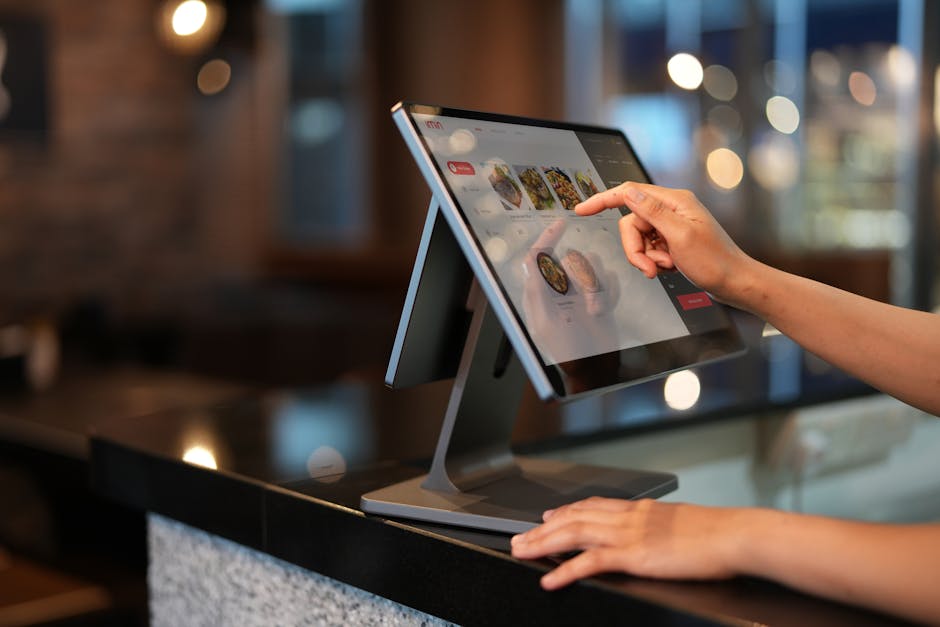
What do you give up when the software price is $0?
The losses are usually visible in the fine print, not the homepage hero. OptiSigns' free tier publicly lists 1 GB cloud storage, a 3-screen limit, allowed-device restrictions, no content scheduling and OptiSigns branding on screens.3 XOGO's free tier is limited to a single user, 15 library items, 60-second videos and HD content only.4
This is the part many comparison posts soften, because the free offer is what gets the click. But the tradeoffs are usually predictable:
1. You lose headroom
The first screen might be free, but the second location, second dining room display or second TV behind the counter often pushes you into paid plans immediately.
2. You lose brand control
Vendor logos on customer-facing screens make sense for internal comms. They do not make sense on a menu board you expect customers to trust. Visora's own Free plan is no exception: it shows a Visora watermark and a Visora promo every 10 minutes.
3. You lose media flexibility
Food photography, motion promos, QR offers and daypart content are heavier than a basic slideshow. Tight storage and upload caps become a real operational problem once your signage looks like actual marketing instead of a static announcement.
4. You lose scheduling
Several free plans leave out automatic scheduling entirely: OptiSigns adds it on Standard, and Visora adds scheduling and dayparting on Pro. Without it, someone has to switch the breakfast menu to lunch by hand.
5. You lose hardware freedom
Some vendors are generous on software and stricter on device compatibility. Others are browser-friendly but lighter on enterprise controls. The "free" decision frequently becomes a hardware decision in disguise. Our guide to browser-based digital signage software explains which setups skip the player entirely, and the Chromecast digital signage guide covers the cheapest stick-based route.
Need signage that stays branded when you outgrow the free tier? See Visora pricing and how it fits restaurant operations before you commit to more hardware.
Free vs paid: where does total cost change?
The crossover point appears faster than most SMB owners expect. XOGO's public pricing jumps from a $0 single-user tier to $20 per player per month, and its own player hardware costs $69.99.4 OptiSigns' paid pricing starts at $10 per screen per month after its restricted free plan.3
If your only goal is to prove that one TV can show rotating content, free digital signage software is often enough.
If your goal is to run reliable restaurant signage, total cost changes when any of these become true:
- You need more than one or two screens.
- You need daypart scheduling.
- You need better-looking assets than a lightweight slideshow.
- You need branded playback with no vendor logo.
- You need support when something breaks during service.
Here is the practical math restaurant owners usually miss:
| Scenario | Free software looks attractive because... | But total cost changes when... |
|---|---|---|
| 1 screen at a counter | No subscription and low risk | The vendor watermark looks unprofessional |
| 3 screens across counter, dining area and window | You delay software spend | Paid tiers and extra players appear at the same time |
| Seasonal promos + menu updates | CMS access seems enough | File limits, missing scheduling or manual work slow the team down |
| Multi-location rollout | You can start without approval | Screen-by-screen troubleshooting burns owner time |
Visora's Free plan follows the same pattern honestly: $0 for 1 screen with 200 MB of storage, a Visora watermark and a Visora promo every 10 minutes, which is enough to prove the workflow on a real TV before paying anything. Starter removes the watermark at $29 a month for 2 screens, and Pro adds scheduling at $59 a month for 4 screens. To compare those paid steps against other vendors, the digital signage pricing index lists entry prices side by side.
When is free digital signage software still a good choice?
Free can still be rational. Yodeck's and Visora's single free screens and OptiSigns' 3-screen free plan all make sense for pilot deployments, especially when the operator wants to test content and staff workflow before standardizing anything.23
A free plan is a good choice when all of the following are true:
- You are testing signage for the first time.
- The screen is not mission-critical.
- Vendor branding will not damage the experience.
- You can tolerate device or upload limits.
- You expect the test to last weeks, not indefinitely.
That means free can be smart for:
- A single promo display near the register
- A staff-only screen in the kitchen
- A temporary event menu
- A proof-of-concept before budget approval
It is a poor fit when the screen directly affects ordering, upsells or customer confidence. Menu boards are not passive decor. They influence what guests buy, how quickly they decide and how polished your brand feels inside the store.
Why do restaurant menu boards outgrow free plans?
Restaurant operators are already under pressure to choose technology that removes friction, not adds it. Deloitte's 2025 restaurant research was based on 375 executives across 11 countries, and 82% said AI investment would increase next fiscal year.6 In that environment, fragile add-on tools are harder to justify than ever.
Restaurants hit the limit of free signage faster than offices, schools or internal comms teams for one simple reason: the screen has to sell.
A restaurant menu board needs to do more than play images. It needs to:
- switch between breakfast, lunch and dinner content
- handle better-looking food imagery
- update sold-out items quickly
- keep fonts, colors and promotions consistent
- stay live during peak hours
That is where the free-plan compromises become more expensive than the subscription you were trying to avoid. A watermark on a customer-facing screen makes the brand look borrowed. A tight storage cap can push you toward weaker visuals. A device restriction can force extra media-player purchases across the exact screens you were trying to keep cheap.
For restaurant owners, the better question is not "Can I find a free tool?" It is "How long do I want to rebuild around a tool I already know I will outgrow?"
If your screens are central to ordering or in-store promotions, compare what a restaurant-first setup looks like in our restaurant signage software guide. Shops, salons, and gyms can size a first paid plan with our digital signage for small business guide. If you already know you need cleaner branding and easier rollout, go directly to pricing and cost the paid path honestly.
What should you check before choosing a free plan?
The checklist matters because the U.S. digital signage market alone reached $7.44 billion in 2025, which means vendors are competing aggressively on entry pricing while reserving the highest-value features for paid conversion.7 The safest move is to verify operational limits before you build your workflow around them.
Use this shortlist before you sign up:
- Screen cap: Is the free tier limited to one screen or three?
- Device support: Can it run on your current TVs, or only on certain devices?
- Storage and upload rules: Will your food photos and promo videos fit?
- Branding: Does the vendor put its logo or a promo on your screens?
- Scheduling: Can you automate breakfast, lunch and dinner changes, or is that a paid tier?
- Support: What happens when a screen fails before service?
- Upgrade path: Can you scale cleanly, or do you end up migrating later?
That last point is the hidden one. Good software scales the same workflow you already built. Weak freemium software forces a second project later. For an owner-manager, that means extra training, extra downtime and another decision you did not need.
Also considered
These real platforms come up in "free signage" searches but are trials or paid plans rather than free-forever tiers. Prices are public figures checked on each vendor's own pricing page.
- PosterBooking: best for testing many screens at once; up to 10 screens free for 3 months, then paid.
- Kitcast: best for Apple TV-friendly teams; 14-day trial, then Starter $9 per screen per month or $7 billed annually.
- NoviSign: best for POS-connected menu boards; 30-day trial, then Business $14 per screen per month.
- Look Digital Signage: best for one simple paid tier; 14-day trial, then PRO $11.70 per screen per month.
- Screenly: best for security-minded small fleets; 14-day trial, then Starter $15 per screen per month billed annually.
- ScreenCloud: best for app and dashboard-heavy teams; 14-day trial, then Core $20 per screen per month billed annually.
- Pickcel: best for many device options; 14-day trial, per-device pricing.
- Rise Vision: best for schools and alert-heavy operations; business pricing is quote-based.
Who should not choose Visora
Visora's Free plan is a test, not a forever menu board for a busy store. If you need more than 1 free screen, OptiSigns' free plan covers up to 3. If you need free scheduling, Visora does not offer it: scheduling and dayparting start on Pro at $59 a month, while XOGO's free tier includes basic scheduling. If the watermark and the promo every 10 minutes are not acceptable on a customer-facing screen, plan on Starter at $29 a month from day one. Visora does not sync menus from a POS, and its native player app is for Amazon Fire TV; other devices use the browser.
Prices checked October 2026: Visora, Yodeck, OptiSigns, XOGO, Fugo, PosterBooking, Kitcast, NoviSign, Look Digital Signage, Screenly, ScreenCloud. Visora publishes this guide; we note where competitors fit better.
Frequently asked questions
Is free digital signage software actually free?
Sometimes. Some vendors offer a real free-forever plan, but they cap screen count, storage, file size, branding or support. Other vendors only offer a trial, which is not the same as free software you can run long term.
What is the best free digital signage software for a restaurant?
For a restaurant testing one screen on a TV it already owns, Visora's Free plan is the simplest start: 1 screen, 1 ad group and 200 MB for $0, running in the smart TV browser with no media player. It shows a Visora watermark and a Visora promo every 10 minutes and does not include scheduling. OptiSigns' free plan covers up to 3 screens with OptiSigns branding and no scheduling, Yodeck's free plan covers 1 screen, XOGO offers 1 free player, and Fugo offers 1 free watermarked screen.
Does Yodeck have a free plan?
Yes. Yodeck's free plan is a single-screen license with no credit card required. It does not include a free Yodeck Player, which comes only with annual paid plans, so the free screen still needs a player or a supported device.2
What digital signage software has a free trial?
Kitcast, Fugo, Look Digital Signage, Pickcel and ScreenCloud list 14-day free trials, NoviSign lists a 30-day trial, and PosterBooking offers up to 10 screens free for 3 months.8 A trial ends; a free plan such as Visora Free, Yodeck's single free screen or OptiSigns' free plan for up to 3 screens keeps running.
Can I run free digital signage on a smart TV without extra hardware?
Sometimes. Browser-based options such as Visora run in an existing smart TV browser, while some free plans only support certain devices: OptiSigns' free plan is limited to OptiSigns devices, Windows, Linux and Raspberry Pi, and Yodeck's free plan needs a Yodeck Player or supported device.3
When should I upgrade from a free signage plan?
Upgrade when your screens are customer-facing, when you need more than the free screen cap, when you need automatic scheduling, when your content exceeds storage or file-size limits, or when watermarks begin to cost more than the monthly subscription. On Visora, Starter removes the watermark at $29/month for 2 screens and Pro adds scheduling at $59/month for 4 screens.
Do free digital signage plans put logos or watermarks on screen?
Most do. OptiSigns lists its branding on free-plan screens, Fugo's free screen shows a small watermark, and Visora Free shows a Visora watermark plus a Visora promo every 10 minutes. That may be fine for an internal display, but it is usually a poor fit for branded restaurant menu boards.
Is open-source signage cheaper than freemium SaaS?
It can be cheaper in software-license terms, but not always in total cost. Self-hosted or open-source signage shifts cost into hardware setup, maintenance, security and staff time, which can outweigh the subscription savings for a small restaurant.
How many screens can I manage before free stops making sense?
Free stops making sense once you move beyond a pilot. Most free plans cap at 1 screen (Visora, Yodeck, XOGO, Fugo) or 3 screens (OptiSigns). Once you need multiple customer-facing screens, branded playback or reliable support, paid software is often the cheaper operational choice.
Ready to test one screen for $0? Pair a smart TV with Visora's Free plan in about 30 seconds, then compare the paid path on Visora pricing once the screen proves itself.