

Digital signage hardware requirements come down to four things: a screen, power, a stable internet connection, and something that plays the content. With Visora that player can be the TV's own browser, so a first screen needs $0 in extra hardware. Add a Fire TV stick, a mini PC, or a commercial display only when the screen demands it.

Photo by Ketut Subiyanto / Pexels
What are the digital signage hardware requirements for restaurants in 2026?
A display, power, reliable internet, a safe mount, and a playback method. The playback method is the part buyers overspend on. With Visora, a smart TV's browser is enough to start: open the Visora player, the TV shows a 4-character code, and you enter it in the dashboard. One screen runs on the $0 Free plan, and Starter covers 2 screens for $29 a month, so you can prove the screen before buying any player.
What hardware do you actually need for one screen?
Start with the smallest complete system: a display customers can read, a safe mount, a power outlet, stable internet, and one playback method.
- Display: TV, commercial display, kiosk screen, or monitor
- Placement: readable from the decision point, not just visible from the wall
- Mount: wall, ceiling, stand, or counter fixture rated for the screen's weight
- Power: a nearby outlet and a cable path with no trip hazard
- Network: Wi-Fi or Ethernet strong enough at the mount location
- Playback: the TV's browser, a streaming stick app, a computer, or a dedicated player
- Content owner: the person who changes prices, promos, and availability
Which player should you use: smart TV, Fire TV stick, mini PC, or commercial display?
Most hardware guides list device specs. The more useful decision is which of four setups fits each screen, because each one solves a different problem and the cheapest one is often enough. Here is how the four compare when the software is Visora:
| Setup | Best for | What you buy | Visora plan | Watch out for |
|---|---|---|---|---|
| Smart TV browser | First screen, menus, promos, notices | Nothing, if the TV has a usable browser | All plans, including Free | Sleep and eco modes, slow built-in chips with heavy video |
| Amazon Fire TV stick with the Visora TV app | Older TVs, TVs with poor browsers, a cleaner full-screen player | A Fire TV stick for the TV's HDMI port | All plans, including Free | Wi-Fi strength behind the TV |
| Windows mini PC with the Visora desktop app | Live TV or sports through HDMI capture, plus signage on the same screens | A Windows mini PC and an HDMI capture device | Starter ($29/mo) and up | More setup, Windows updates, ventilation |
| Commercial display | Bright windows, drive-thru, portrait mounting, 12+ hour days | A commercial-grade panel, still paired through its browser or one of the setups above | Any plan | Higher upfront cost |
How to pick in practice:
- Try the TV's browser first. Open www.visora.mx/tv, pair it with the 4-character code, and leave it running through a full service.
- If the browser is slow, sleeps, or will not stay full screen, move that screen to a Fire TV stick with the Visora TV app.
- If the screen also needs a cable or sports feed, use the Windows desktop app on a mini PC with HDMI capture. Our live sports restaurant TV guide covers that setup.
- Upgrade the panel itself only when the environment (sunlight, heat, runtime) demands it.
No dedicated signage player is required on any of these paths.
Can a smart TV replace a media player?
Often, yes. A smart TV can replace a media player when the screen has a stable browser, stays awake, launches full screen, and only needs menus, offers, notices, or light motion. It is not the safest choice for every 24/7, 4K, or unattended deployment.
TechRadar's smart TV comparison notes that a typical smart TV system-on-chip may have around 2GB RAM and 8GB flash storage. That is enough for many menus but can be thin for heavy video or long unattended playback.1
The smart TV path is best while you are learning. If the screen stays full screen, wakes correctly, and handles updates without staff help, it may be all you need. Our smart TV digital signage guide covers platform quirks by TV brand, and the Chromecast digital signage guide explains why casting is a supervised option rather than a permanent one.
What media player specs matter in 2026?
If you do buy a player, buy for the content you will run and for how the device recovers when nobody is watching, not for the processor name.
NoviSign's hardware guidance recommends 2GB RAM minimum, 4GB RAM for best performance, and 16GB storage minimum with 32GB for large 4K video. Treat those as planning floors, not guarantees.2
| Use case | Sensible minimum | Safer choice |
|---|---|---|
| Static menu or promo slides | Working browser, 2GB RAM, stable Wi-Fi | 4GB RAM, Ethernet |
| Light animation | 2GB RAM, modern browser, 16GB storage | 4GB RAM, 32GB storage |
| 4K video loops | 4GB RAM, 32GB storage, 4K output | Mini PC or commercial player |
| Multi-location rollout | One standard device per screen type | Documented setup and recovery steps |
Whether content should be cached on the device or streamed from the cloud is its own decision; cloud digital signage vs a local player walks through the trade-offs.
When do commercial displays justify the cost?
Commercial displays make sense when the screen runs long hours, sits in bright light, needs portrait orientation, faces heat or grease, or must carry a warranty that covers business use. Consumer TVs still work for pilots, staff areas, and calm indoor screens.
Ask before spending more:
- Will the screen run more than 10 to 12 hours a day?
- Is it in direct sun or a high-glare spot?
- Does it need portrait mode?
- Would downtime disrupt ordering?
- Does the warranty cover commercial use?
If several answers are yes, a commercial display can cost less than replacing consumer TVs repeatedly.
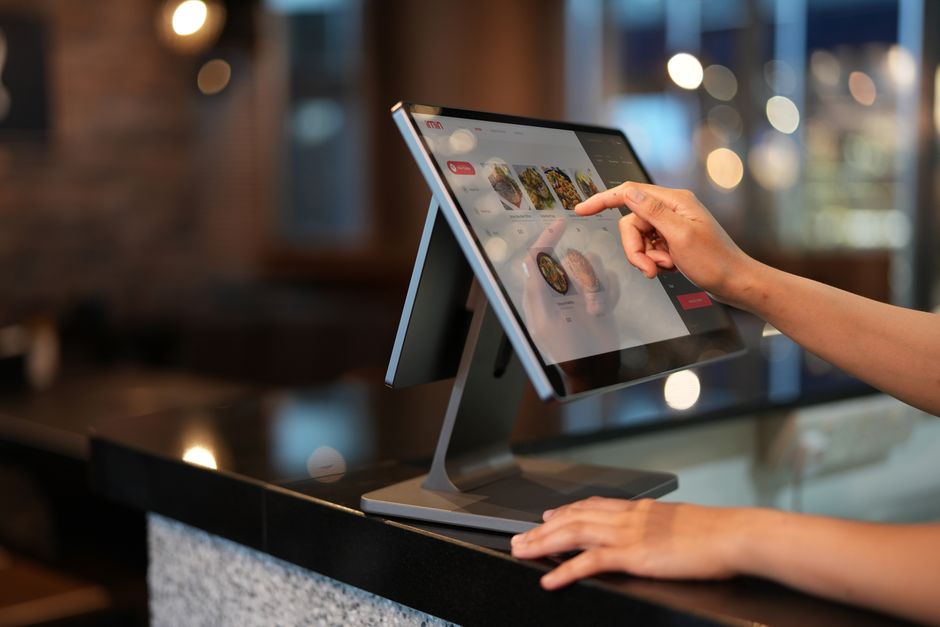
Photo by iMin Technology / Pexels
Connectivity, power, and mounting checklist
Walk the space with the real content in mind before buying anything:
- Test Wi-Fi strength at the exact mount location, not at the router
- Use Ethernet when the screen is critical or the Wi-Fi is crowded
- Avoid outlets shared with high-load kitchen equipment
- Hide cables without making the device impossible to reach
- Mount for readability from the customer line
- Keep sticks, mini PCs, and displays ventilated
- Unplug the power, plug it back in, and watch what happens
That last test matters most. If staff must find a remote, dismiss popups, or relaunch the player by hand, the setup is not ready for a busy location.
How much should digital signage hardware cost?
If you already own a TV with a usable browser, the first hardware cost can be $0 beyond mounting and cabling.
Yodeck's player guide puts low-end digital signage players around USD 50-200, mid-range players around USD 200-500, and premium mini PCs or industrial devices at USD 500-1,500+.3
| Item | Lean pilot | More robust setup |
|---|---|---|
| Existing screen | $0 | $0 |
| New consumer TV | $200-700 | Usually not for harsh environments |
| Commercial display | Often $600+ | Higher for brightness and duty cycle |
| Basic player or streaming stick | $50-200 | Fine for simple content |
| Mini PC | $200-500+ | Needed for HDMI capture setups |
| Mount and cable cleanup | Varies | Do not skip safety |
Plan software and hardware together. A cheap device is not cheap if staff troubleshoot it every week, and a premium player is wasted if one browser screen could have proven the workflow first.
How does Visora reduce hardware risk?
Visora lets you validate the first screen before you standardize devices: pair a TV, run real content, then add a stick or mini PC only where the pilot shows a real problem.
- Free: $0 for 1 screen, with a Visora watermark and a Visora promo every 10 minutes
- Starter: $29/month for 2 screens, Windows desktop app included
- Pro: $59/month for 4 screens, with scheduling and dayparting
- Business: $159/month for 10 screens
You learn whether the team can update a sold-out item, whether the screen is readable during the rush, whether the Wi-Fi holds, and whether the display recovers after power loss. Those answers are worth more than a spec sheet.
Photo by RDNE Stock project / Pexels
Frequently asked questions
What are the digital signage hardware requirements for restaurants in 2026?
A display, power, reliable internet, a safe mount, and something that plays the content. With Visora the player can be the TV's own browser, paired with a 4-character code, so the first screen can cost $0 in extra hardware.
Do I need a media player for digital signage?
Not with Visora. A smart TV browser or the Visora TV app on an Amazon Fire TV stick plays the content. A Windows mini PC with the Visora desktop app is only needed for HDMI capture of live TV or sports, on Starter and up.
Can I use a smart TV for Visora?
Yes, if the TV has a working browser, stable internet, and power settings that keep the screen awake. Open www.visora.mx/tv, enter the 4-character code in the dashboard, and run it through a full service before relying on it.
What specs should a digital signage player have?
For simple menus and promos, a stable browser, at least 2GB RAM, and reliable Wi-Fi or Ethernet. For 4K video or long unattended runtimes, 4GB RAM and 32GB storage are safer planning floors.
Is a commercial display required for a restaurant menu board?
No. A consumer TV is fine for a pilot or a calm indoor screen. A commercial display is worth it for bright windows, drive-thru boards, portrait mounting, high heat, or screens that run more than 10 to 12 hours a day.
How much should first-screen digital signage hardware cost?
If you already own a TV with a usable browser, $0 beyond the mount and cabling. If you need a dedicated player, low-end devices often start around $50 to $200, and mini PCs or industrial players cost more.
What should I test before buying more screens?
Test screen wake behavior, internet strength at the mount, fullscreen playback, readability, how fast staff can update content, and recovery after a power or Wi-Fi loss. Buy the next screen only after one survives a real service.
Test the hardware you already own first. Pair one TV with a 4-character code on the Free plan, and add a Fire TV stick or the Windows app from download only where the pilot needs it. Compare plans on Visora pricing.