
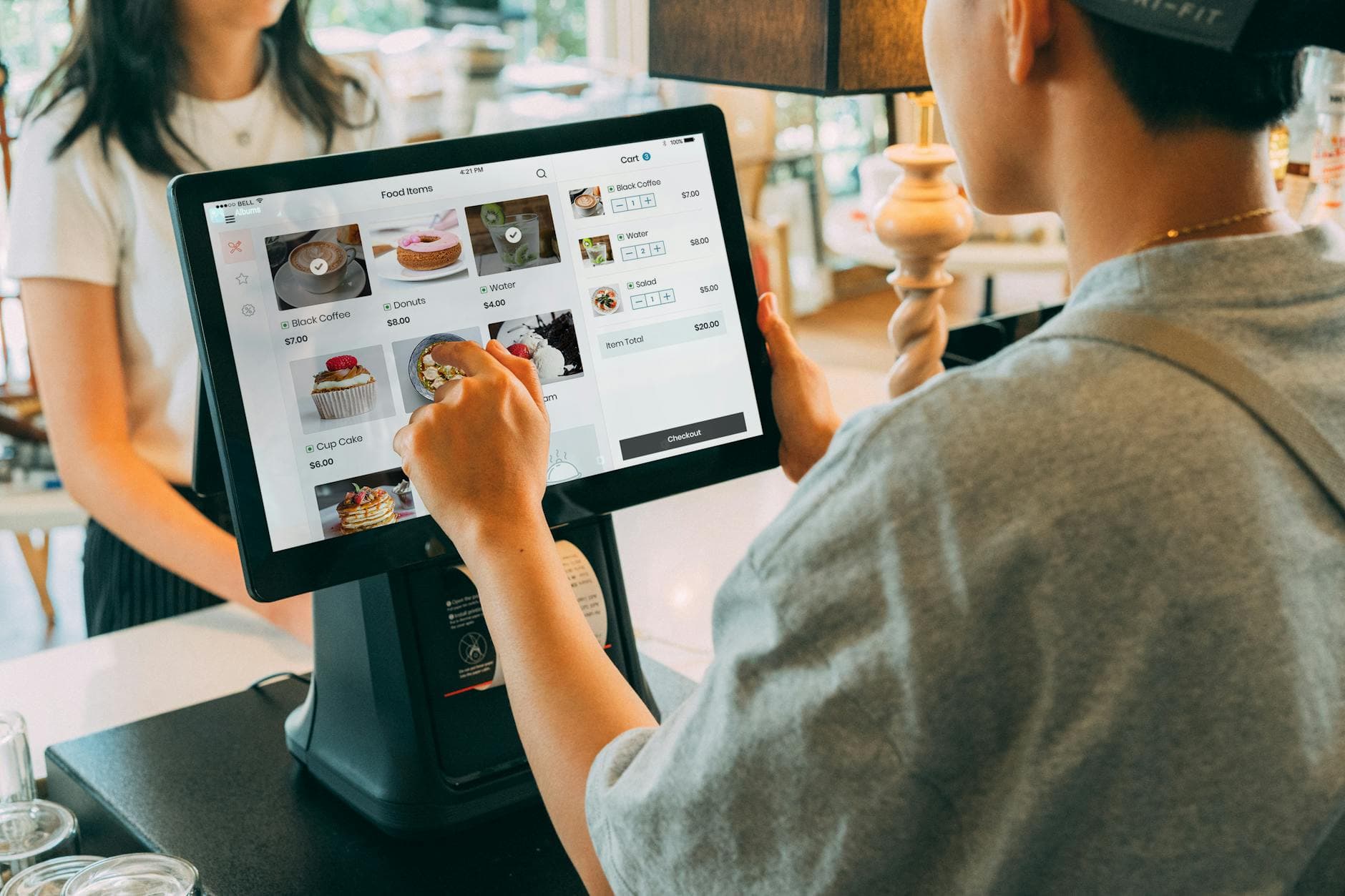
Digital signage for retail means store screens with one job each: pull shoppers in at the window, sell an add-on at checkout, or explain pickup while people wait. A 2025 Journal of Marketing field study found featured-product purchase probability rose 8.1% on average with in-store screens. Start with one screen near the decision.1
What is the cheapest way to start digital signage in a retail store?
Use a TV you already own and software that runs in its browser. With Visora, you open the Visora player on the TV, enter the 4-character code it shows into the dashboard, build the promotion in the editor, and assign it to that screen. One screen costs $0 on the Free plan, which adds a Visora watermark and a Visora promo every 10 minutes; Starter removes both for $29 a month and covers 2 screens.
Digital signage for retail is a set of screens controlled by software: window offers, aisle education, bundles, loyalty prompts, pickup updates, or checkout add-ons. The shift from print is control. A manager changes the message from a phone instead of designing, printing, placing, and removing posters. For the basics of how the parts fit together, see what digital signage is.
Why does retail digital signage increase sales?
The strongest recent evidence is a 2025 Journal of Marketing study covering 237 field experiments and almost 30 million shoppers. In-store screens raised the purchase probability of featured products by 8.1% on average, with better results when the screen sat near the advertised product and for novel, hedonic, low-priced items.1 For more sourced figures and their limits, see our digital signage statistics roundup.
In plain terms, screens work best for products that benefit from impulse and quick confidence. A boutique can feature accessories, a convenience store a chilled drink bundle, a pharmacy a seasonal care kit. The screen does not need to explain the whole brand. It needs to make one next action easier.
Where should screens go inside a store?
Start from the decision being made in each zone:
| Store zone | Screen job | Best content |
|---|---|---|
| Window | Create entry | One offer, new arrivals, seasonal launch |
| Entrance | Orient | Today's offer, department direction, pickup location |
| Aisle | Guide choice | Comparison, how-to, bundle, review, size help |
| Endcap | Convert attention | Featured product, limited offer, QR for details |
| Checkout | Lift basket | Add-ons, loyalty, gift cards, policy reminders |
| Pickup | Reduce uncertainty | Order steps, which counter, what to bring |
| Staff area | Run the day | Goals, stock notes, campaign changes |
Many rollouts go wrong by buying a screen and then asking what to put on it. Define the zone, then the decision, then the content. Food retailers have extra constraints (daily price changes, perishables, department layouts) covered in digital signage for grocery stores. High-ticket showrooms work differently again; our digital signage for car dealerships guide maps screens to inventory, finance, and service areas.
What does retail digital signage cost at 1, 4, or 10 screens?
Most retail guides say "it depends." Here are the monthly software prices for the screen counts stores actually run, checked on each vendor's own pricing page on October 1, 2026. Hardware, mounts, and installation are not included.
| Screens | Visora (bundled plans) | Yodeck Basic | OptiSigns Standard (monthly) | ScreenCloud Core (billed annually) |
|---|---|---|---|---|
| 1 | $0 Free, or $29 Starter | $0 free plan, or $8 | $0 free plan, or $10 | $20 |
| 2 | $29 Starter | $16 | $0 free plan, or $20 | $40 |
| 4 | $59 Pro, scheduling included | $32 | $40 | $80 |
| 6 | $89 Pro plus 2 extra screens | $48 | $60 | $120 |
| 10 | $159 Business | $80 ($120 on Premium) | $100 | $200 |
What the table does not show:
- Per-screen vendors are cheaper per screen on their entry tiers at 4 to 10 screens. Yodeck Basic and OptiSigns Standard cost less per month than Visora there. Compare what each tier includes, not only the total.
- Scheduling differs by tier. Yodeck Basic has basic scheduling and reserves advanced scheduling for Premium. Visora includes scheduling, dayparting, and live events from Pro ($59 for 4 screens); Free and Starter have none.
- Free plans carry branding. Yodeck's free plan covers 1 screen; OptiSigns' covers up to 3 with OptiSigns branding; Visora Free covers 1 with a watermark and a Visora promo every 10 minutes. ScreenCloud offers a 14-day trial instead.
- Players are handled differently. Yodeck's annual Basic plan includes a Raspberry Pi player, and ScreenCloud's annual plans include a device offer. Visora needs no player: it runs in the TV's browser or the Visora TV app on Fire TV.
For deeper vendor detail, see our Yodeck pricing breakdown and the cross-vendor digital signage pricing index.
How can digital signage reduce wait time?
Waitwhile's 2025 survey found 84% of consumers have avoided a business because of a physical line, and 39% have switched to a competitor or abandoned a purchase when faced with a wait.2 Screens cannot remove the line, but they reduce uncertainty while people stand in it.
- Checkout: which counter is open, tap-to-pay, return policy, loyalty signup.
- Service counters: queue numbers, expected wait windows, "have your receipt ready."
- Pickup shelves: separate "ready," "in progress," and "ask staff" so customers stop clustering at the wrong counter.
Digital signage does not replace staffing. It removes avoidable friction from the line.

What content should a retail screen show?
Short, specific, current content. Use a five-part loop:
- Product: a featured item with a clear visual.
- Proof: best seller, staff pick, or review.
- Urgency: today only, this weekend, or while supplies last.
- Direction: where to find it or which counter to use.
- Operations: pickup step, return policy, or stock update.
Keep each slide readable in three seconds. If shoppers must stop and study the screen, it is too dense. Our digital signage design tips cover font sizes, contrast, and how much text a screen can carry.
What is a practical rollout plan for a store?
Launch with one business problem, not six screens.
- Week 1: pick one screen job: featured product, checkout add-on, pickup guidance, or fewer repeated questions.
- Week 2: place the screen where that decision happens and pair it.
- Week 3: build a loop of five slides or fewer in the editor and assign it.
- Week 4: compare one metric with the prior period and revise.
The goal is to prove that a specific screen improves a specific store outcome.
How should retailers measure ROI?
Pick one metric per screen. A window screen: promoted product sales. A checkout screen: add-on attach rate or loyalty signups. A pickup screen: staff interruptions per shift. Track time saved on promotion updates for any screen.
Do not over-attribute. If a discount, a staff contest, and a screen campaign launch together, you will not know what worked. Test one product, one placement, one message, one period.

Common mistakes with retail digital signage
- Treating screens like TVs. A retail screen needs a sales or operational job, not background noise.
- Too much text. Shoppers scan while moving.
- Stale content. An expired offer on a bright screen damages trust faster than paper.
- Screens where nobody decides anything. A checkout display with a clear add-on beats a beautiful low-traffic corner.
- Buying hardware before the workflow. If only one person can update the screen, it stalls. Price the operating plan on Visora pricing, not just the display.
Frequently asked questions
What is digital signage for retail?
Digital signage for retail is the use of connected screens to show product promotions, store information, directions, pickup status, loyalty prompts, and branded content inside or around a store, updated from software instead of reprinted.
Does digital signage increase retail sales?
It can. A 2025 Journal of Marketing study of 237 field experiments found in-store digital signage increased featured-product purchase probability by 8.1% on average, with stronger results for novel, low-priced products and screens placed near the product.1
Can retail digital signage reduce wait time?
It does not make the cashier faster, but it reduces perceived wait and repeated questions by showing which counter is open, pickup steps, return policy reminders, and loyalty prompts while shoppers wait.
Where should retail stores place digital signage?
Near the decision each screen supports: windows and entrances for entry, aisles and endcaps for product choice, checkout for add-ons, and pickup or service counters for wait information.
What should a retail screen show?
One job at a time: a featured product, limited offer, bundle, direction, review, QR code, pickup update, or the answer to a question staff hear every day. Each slide should be readable in about three seconds.
How much does digital signage for retail cost?
Software for 4 screens costs $32 per month on Yodeck Basic, $40 on OptiSigns Standard monthly, $80 on ScreenCloud Core billed annually, and $59 on Visora Pro, which includes scheduling (prices as of October 2026). Displays, mounts, and installation are extra.
Is Visora a fit for retail stores?
Visora fits small and mid-size stores that want to pair existing TVs with a 4-character code, build promos in a visual editor, and keep pricing simple with bundled plans. Scheduled promotions need Pro ($59 per month) or Business. See Visora solutions for store use cases.
Ready to put your first store screen to work? Pair a TV you already own, build one promotion, and measure one outcome for four weeks. Start free and compare plans on Visora pricing.